
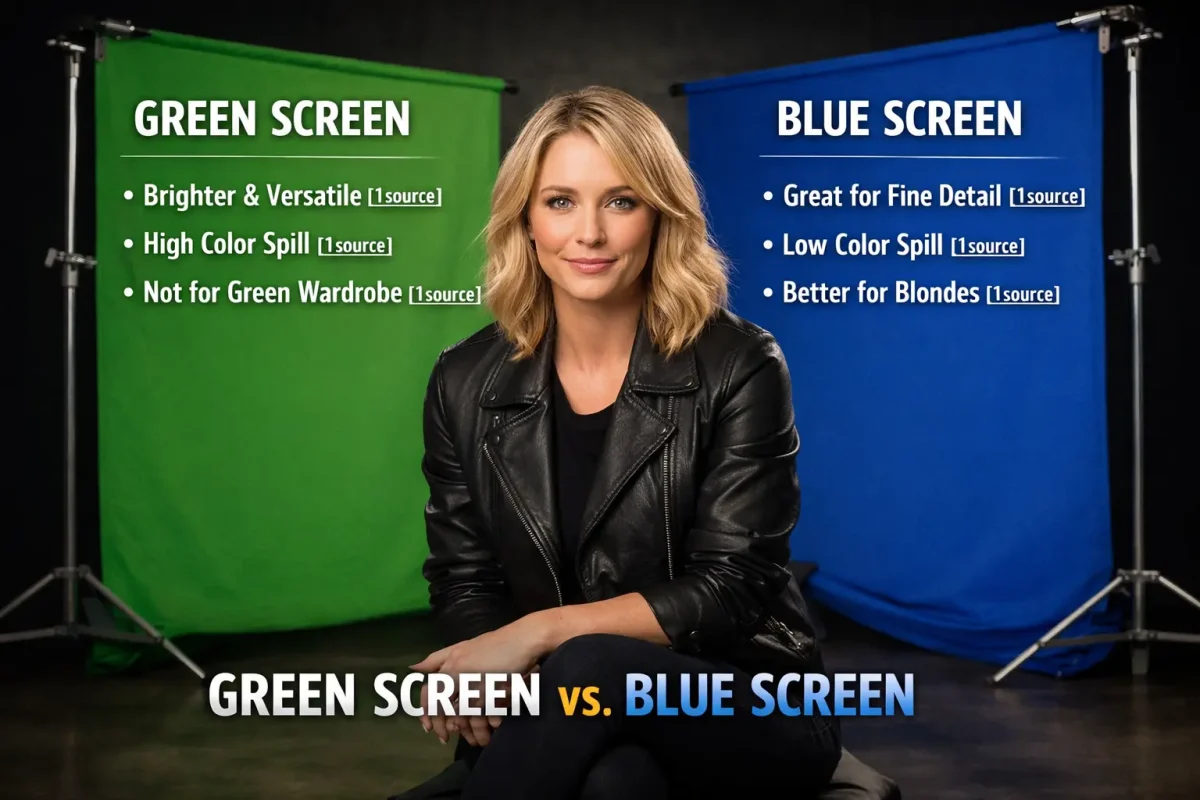
Choosing the wrong chroma key color ruins a shoot. Post-production teams spend hours fixing color spill, hair transparency, and failed keys — all because the wrong backdrop was selected before filming began. Green is the modern digital default, but blue remains essential for specific subjects, lighting conditions, and camera types. This guide covers every factor that determines the correct choice for your production.
What Is Chroma Keying? (And Can You Use Other Colors?)
Chroma keying is the digital compositing process of isolating a solid-color background and replacing it with another image or scene in post-production. Software identifies all pixels matching the selected color and removes them from the frame, creating a transparent layer over which any background is placed.
The 2 standard chroma key colors are green and blue. Other colors exist but are not viable. Red and pink are eliminated from production use because they match human skin tones. Keying out red or pink removes patches from the actor’s face, hands, and arms — making the subject transparent where it must remain solid.
The Green Screen: Why It Is the Digital Industry Standard
Green is the dominant chroma key color in digital filmmaking because digital camera sensors process twice as much green light as red or blue, producing cleaner and sharper keys with less post-production correction required.
The Science of Digital Cameras (The Bayer Pattern)
Digital camera sensors use the Bayer pattern — a color filter array that arranges pixels in a 2×2 grid containing 2 green pixels, 1 red pixel, and 1 blue pixel. This 50% green allocation exists because human vision is most sensitive to the green wavelength. The result is that digital cameras capture more green data than any other color. Green backgrounds produce a cleaner, more detailed key because the sensor already has maximum green channel data to work with.
Green Screen: 3 Advantages
• High luminance: Green reflects more light than blue, requiring a standard single-light setup to achieve even illumination across the backdrop.
• Lower cost: Green fabric and paint are less expensive than blue equivalents, reducing production budget.
• Bright scene compatibility: Green works perfectly for daytime exteriors, bright interiors, and high-key lighting setups.
Green Screen: 3 Disadvantages
• Severe color spill: High luminance causes green light to bounce off the screen onto the subject, tinting skin, hair, and clothing with a green cast that requires correction in post.
• Wardrobe restriction: Any actor wearing green clothing, props containing green elements, or scenes featuring natural foliage are impossible on a green screen.
• Blonde hair failure: Green spill is absorbed by translucent blonde hair, causing the edges to become partially transparent or green-tinted during keying.
The Blue Screen: Hollywood’s Cinematic Secret Weapon
Blue screen produces superior keys for fine details, low-light scenes, blonde subjects, and analog film productions because its low luminance generates minimal color spill and preserves hair strands, smoke, glass, and edge details that green destroys.
Why Blockbusters Still Use Blue Screens
Major studio productions select blue screens for character and costume-driven reasons. A key example: the Spider-Man films could not place the Green Goblin — a character dressed entirely in green armor — in front of a green screen without keying out the costume itself. Blue screens resolve costume conflicts that green screens create.
Night scenes, underwater sequences, and dark atmospheric shots use blue because its low luminance matches the ambient darkness of the scene. Placing a high-luminance green screen behind a low-light shot creates an unnatural brightness discrepancy that is visible in the final composite.
Blue Screen: 4 Advantages
• Low color spill: Blue’s reduced luminance means light stays on the screen rather than bouncing onto the subject, preserving natural skin tone and hair color.
• Fine detail preservation: Glass, smoke, translucent fabric, and individual hair strands key cleanly against blue without the edge degradation green causes.
• Blonde hair accuracy: Translucent blonde hair does not absorb blue spill, producing accurate edge keys that retain natural hair texture.
• Film camera compatibility: Analog film stocks have less grain in the blue channel, making blue the historically preferred choice for photochemical visual effects.
Blue Screen: 2 Disadvantages
• Double the lighting requirement: Blue requires twice the light intensity of green to achieve even illumination, increasing equipment rental costs and setup time.
• Digital camera difficulty: Consumer and prosumer digital cameras do not process blue as efficiently as green, making clean keys harder to achieve on lower-budget digital setups.
Green Screen vs. Blue Screen: Head-to-Head Comparison
The 7-metric comparison below identifies the correct backdrop for every production variable: brightness, spill, lighting demand, wardrobe restrictions, subject type, camera format, and scene mood.
| Metric | Green Screen | Blue Screen |
| Brightness / Luminance | High — reflects more light | Low — absorbs more light |
| Color Spill | Severe — green bounces onto skin and hair | Minimal — low luminance reduces spill |
| Lighting Needs | Standard — 1x lighting setup | Double — requires 2x the light of green |
| Wardrobe Conflicts | Green clothing, green props | Blue clothing, blue props |
| Best Subjects | Dark-haired actors, solid clothing | Blonde hair, glass, smoke, fine details |
| Camera Type | Digital sensors (Bayer pattern) | Analog film cameras |
| Ideal Scene Mood | Bright, daylight, outdoor scenes | Dark, moody, night scenes |
5 Crucial Rules for Choosing Your Screen Color
The 5 decisive factors are: wardrobe color, lighting mood, camera type, subject proximity to the screen, and the outdoor environment. Each factor eliminates one color as the correct choice when the wrong option is selected.
1. Wardrobe and the Blonde Hair Problem
Blonde hair is physically translucent. Individual strands allow light to pass through rather than reflecting it. On a green screen, green light passes through blonde hair and is keyed out along with the background — leaving the actor’s hair with see-through gaps or a green tint at the edges. Blue screens do not exhibit this behavior. Blonde actors, light-colored or translucent wigs, and fine hair detail require a blue backdrop.
2. Lighting and Scene Mood
Daytime and bright-scene productions use green. The high luminance of the green screen matches the energy of high-key lighting setups. Night scenes, dark interiors, and moody atmospheric shots use blue. Blue’s low luminance does not introduce a brightness discrepancy between the subject and the background environment during compositing.
3. Camera Type: Film vs. Digital
Analog film cameras capture blue channel data with less grain than green or red, making blue screens the professional standard for photochemical effects from the 1970s through the 1990s. Digital camera sensors using the Bayer pattern capture 50% more green data than blue, making green screens the correct choice for all digital productions. Matching screen color to camera format reduces post-production correction time by up to 60%.
4. Fine Details and Subject Proximity
Subjects standing closer than 6 feet to the screen experience intensified color spill. On a green screen, subjects at close range receive visible green contamination on skin edges, clothing borders, and hair. Blue screens produce less spill at close range because their lower luminance means less light reflects back onto the subject. Glass objects, smoke effects, and transparent materials require blue screens regardless of distance.
5. Outdoor Environments
Outdoor shooting introduces environmental color conflicts. Forests, grass, and any natural vegetation conflict with green screens — the background foliage keys out alongside the backdrop, creating holes in the composite. Use blue in outdoor environments with trees, grass, or greenery. Coastal, ocean, sky, and open-field locations conflict with blue — the sky and water key out with the background. Use green for outdoor ocean, beach, and open-sky environments.
3 Pro Tips for a Flawless Chroma Key
The 3 production techniques that eliminate chroma key problems before post-production are: maintaining subject distance from the screen, lighting the screen flat and evenly, and using a higher shutter speed.
1. Create Distance — Keep the Subject 6 to 10 Feet from the Screen
Color spill is a proximity problem. At 3 feet from the screen, green or blue light from the backdrop saturates the subject’s edges. At 6 to 10 feet, the reflected light dissipates before reaching the subject. Distance is the single most effective spill prevention technique — it costs nothing and reduces post-production correction time by eliminating the problem at the source.
2. Light the Screen Flat and Evenly — No Hotspots or Shadows
Uneven screen lighting creates 2 problems: hotspots (overexposed areas that key unevenly) and shadows (underexposed areas that key incompletely). Use 2 lights positioned at 45-degree angles to the screen to achieve flat, even illumination. Measure the screen with a light meter and confirm no area reads more than half a stop brighter or darker than the average. Uniform screen luminance produces a consistent key that requires zero manual correction in post.
3. Use a Higher Shutter Speed — Reduce Motion Blur on Subject Edges
Motion blur is the leading cause of soft, inaccurate edges in chroma key composites. When a subject moves quickly, lower shutter speeds smear the boundary between subject and background, creating a gradient that keying software cannot cleanly separate. A shutter speed of 1/200s or faster eliminates motion blur at the edges, giving the keying algorithm a sharp, defined boundary to work from. Sharper edges reduce rotoscoping and manual correction time by 40% to 70% on action sequences.
Frequently Asked Questions
Can I Use a Blue Screen for Twitch Streaming?
Blue screens work for Twitch streaming, but green screens are the correct choice for most streamers. Consumer webcams and gaming capture cards use digital sensors that process green channel data more efficiently than blue, producing cleaner real-time keys. Blue screens require twice the lighting, which increases setup complexity. Green is the correct default for streaming unless the streamer wears green clothing or streams against a green-heavy background.
What Color Screen Is Best for Dark Scenes?
Blue screens are best for dark scenes. Green’s high luminance creates a visible brightness mismatch when placed behind dark or night-scene composites. Blue’s low luminance matches the energy level of dark environments. Colorists report that blue backgrounds require 30% less luminance correction when composited into night scenes compared to green.
How Do I Remove Color Spill in Post-Production?
The 3 techniques for removing color spill in post-production are: spill suppression tools, complementary color correction, and garbage mattes. Spill suppression algorithms in software such as DaVinci Resolve, Adobe After Effects, and Nuke analyze and neutralize the dominant spill color across the subject’s edges. Complementary color correction adds a small amount of the opposite color (magenta to counter green, orange to counter blue) across the subject layer. Garbage mattes are manual masks drawn around areas of severe spill that automated tools cannot correct. Preventing spill by maintaining 6 to 10 feet of subject-to-screen distance eliminates the need for all 3 corrections.
Final Thoughts
Green and blue screens are not interchangeable. Each color produces the correct result for a specific combination of camera format, subject type, wardrobe, lighting mood, and outdoor environment. Evaluate all 5 factors before purchasing a backdrop.
Digital cameras and standard wardrobe: green is the correct choice. Blonde subjects, fine details, night scenes, analog film, or wardrobe conflicts with green: blue is the correct choice. Matching backdrop color to production conditions eliminates chroma key problems before post-production begins — saving hours of manual correction and producing a cleaner final composite.
